 SwiftUnite
Video, breakout rooms, whiteboard, polls, Q&A, live captions, AI meeting notes and calls in one simple app — with your own logo on it. Your guests join with just their name. You pay with Mobile Money.


A real meeting room in SwiftUnite: clear video, chat and the tools you need, on a computer or a phone.


One app instead of five. Every tool below is included — most of them even on the free plan.
Video and audio on any phone or computer, in the browser you already have.
Split into small groups with their own video and sound, then bring everyone back.
Lower video or audio only — each person chooses, and sees how much data they've used.
Ask the room, see results update live. Anonymous or named, one or many answers.
People ask questions — anonymously if they like — and the most popular rise to the top.
What's said appears on screen with the speaker's name, and is saved as a transcript.
After every meeting: key points, decisions and action items, emailed to the host. Ask it anything about what was said.
Formal minutes with present and absent lists, or lesson notes with homework — in English, Swahili, French or Luganda. Edit, then download for Word.
Every task gets an owner and a due date. Each person is emailed their tasks, reminded the day before, and ticks them off.
Joined late? One tap gives you a short recap of what you missed and what is being discussed right now.
Draw, add shapes and text you can move and resize. Everyone sees it live.
Slides take the main stage for everyone, people move to the side. Share files and links too.
Every week of the term in one go: one invitation, every date in the calendar, reminders each time.
Share the hosting with an assistant, and put a speaker on everyone's screen.
A meeting passcode, lock the meeting, two-step sign-in, and an email when your account signs in somewhere new.
Your logo, colours, cover picture and welcome message on the join page, meetings and invites.
Blur your room, pick a ready-made scene or upload your own picture.
Pay per host by Mobile Money, give seats to your staff and add more any time.
Course meetings open from the course page, and attendance goes straight into the gradebook.
Everyone is told when a meeting is recorded or streamed, and can turn off their camera or leave.
Download all your data or delete your account in a few taps. Admins set how long content is kept.
Call the people you meet with, any time — it rings on their phone.
👏 ❤️ 🎉 float across the screen — applause without unmuting.
Record straight to your own computer, or stream the meeting live to YouTube.
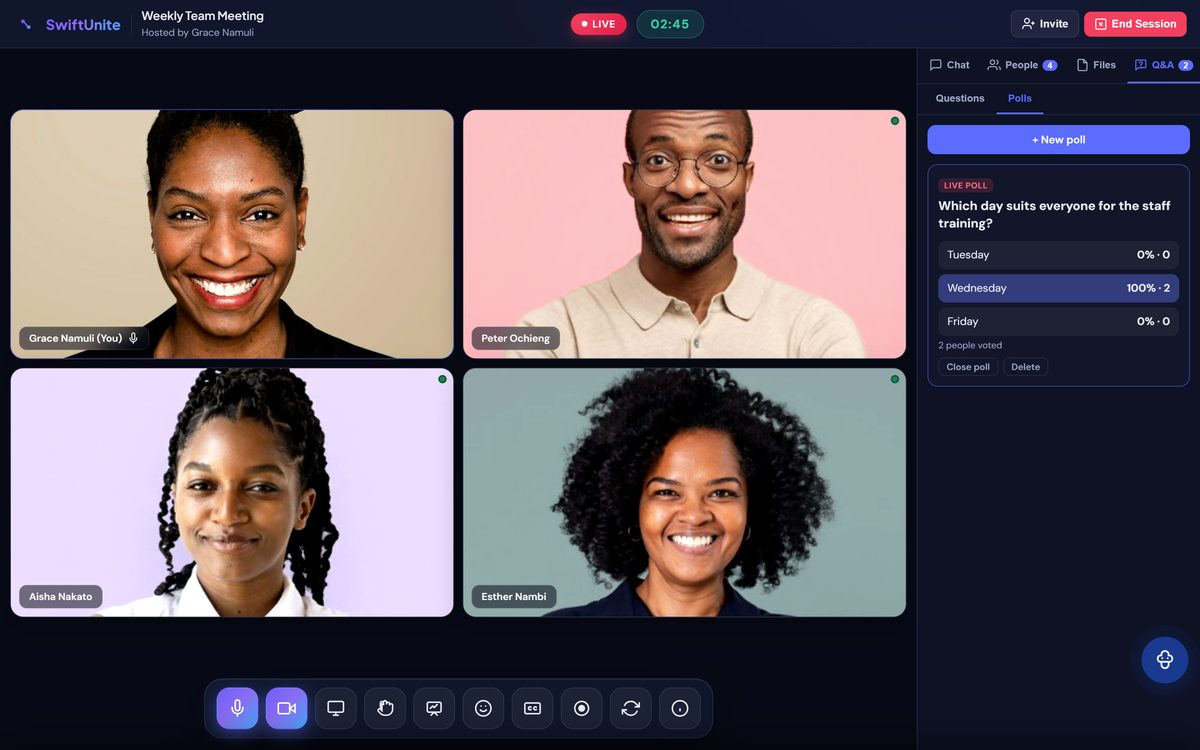
Classes and meetings come alive when everyone can take part — even the quiet ones.
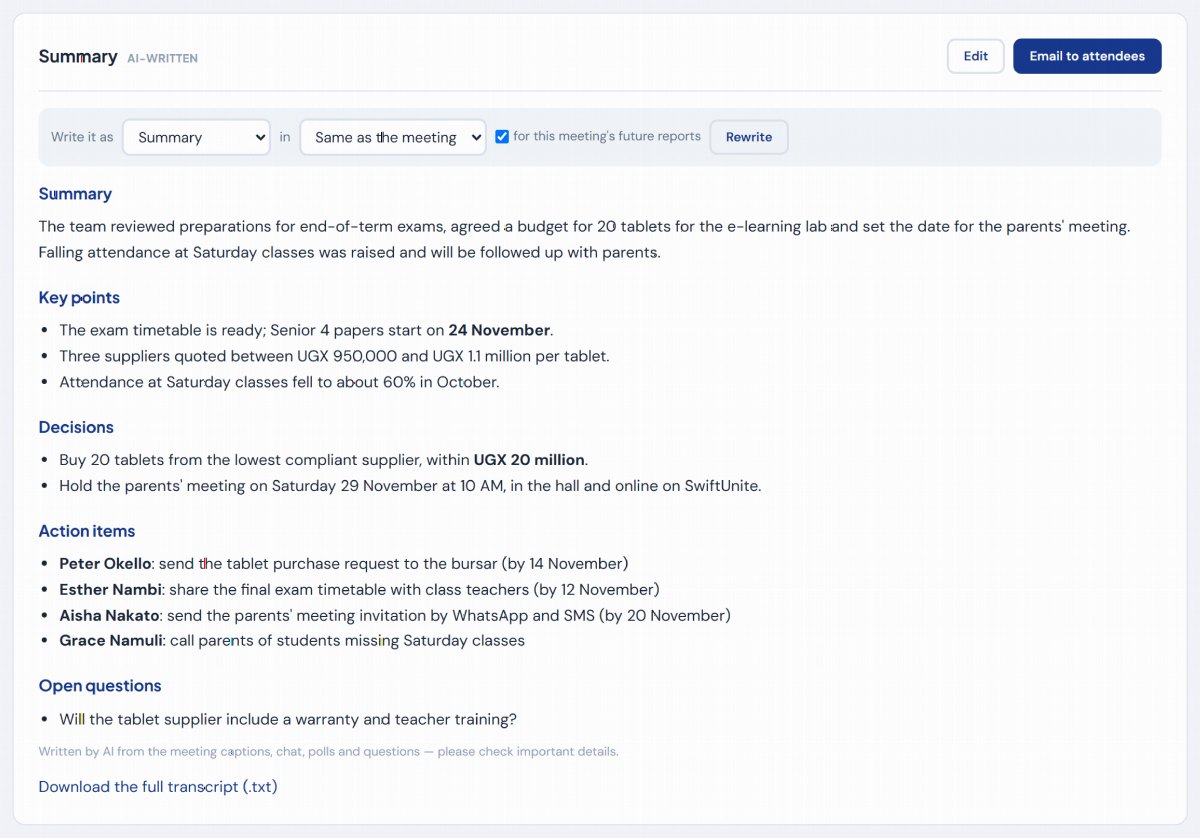
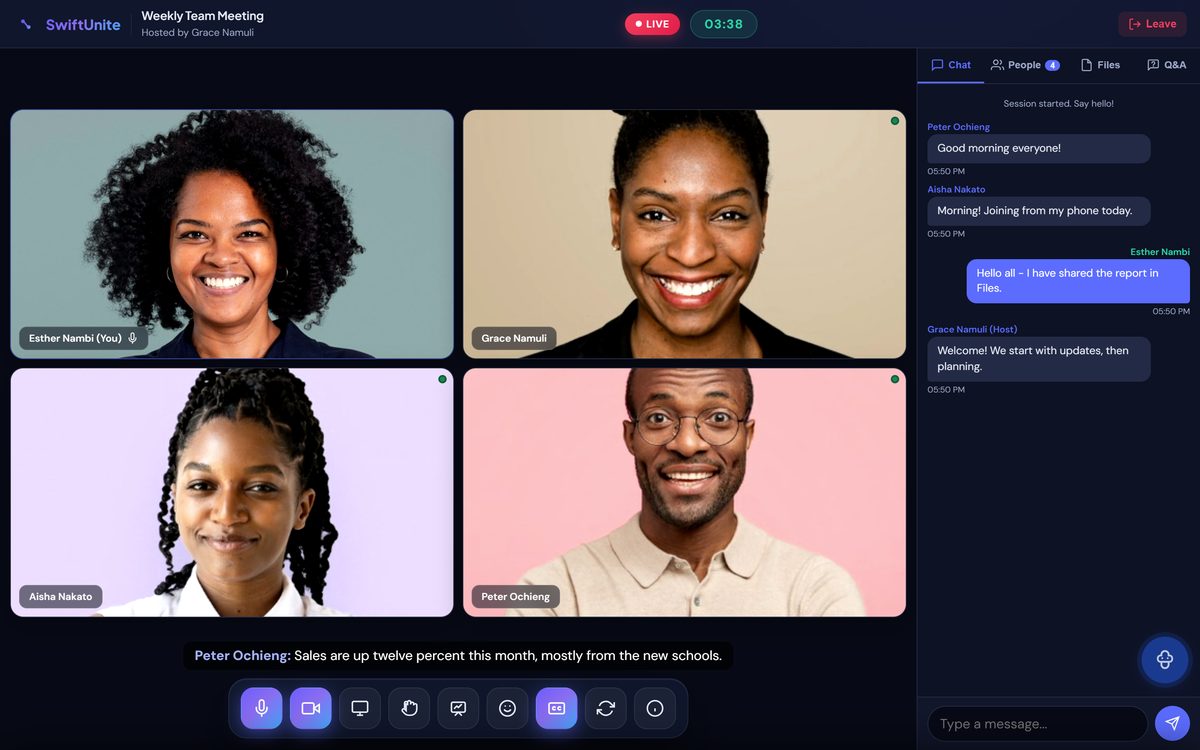
Turn on live captions and everyone can follow along. When the meeting ends, the report is waiting for you.
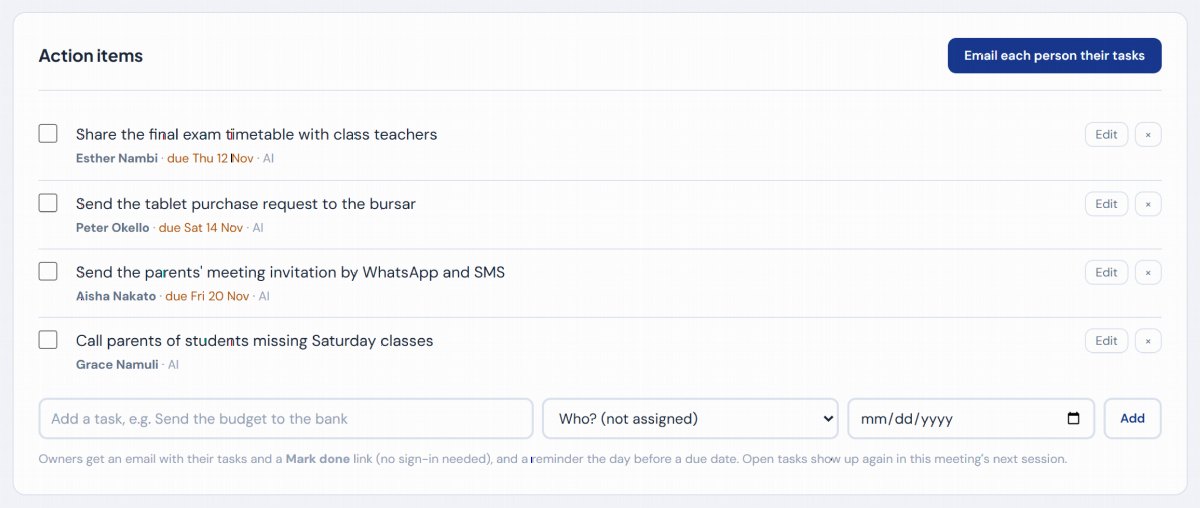

The AI picks out every task agreed in the meeting, with who does it and by when. You check the list, then send it.

Work through a sum, sketch a plan or map out ideas together — on a computer or a phone.


Send people into small rooms for discussion, then bring everyone back together — with a teaching assistant to help you run it.
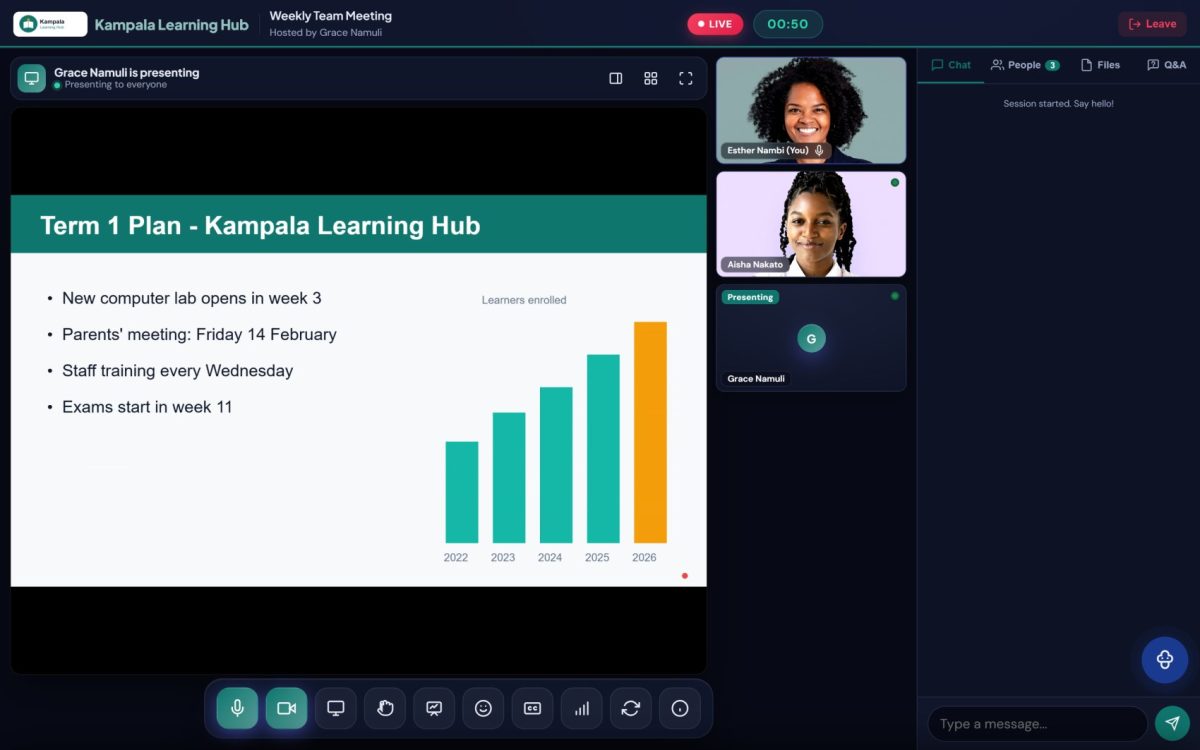

Your logo, colours and welcome message from the moment people open your link — and slides that fill the screen when you present.
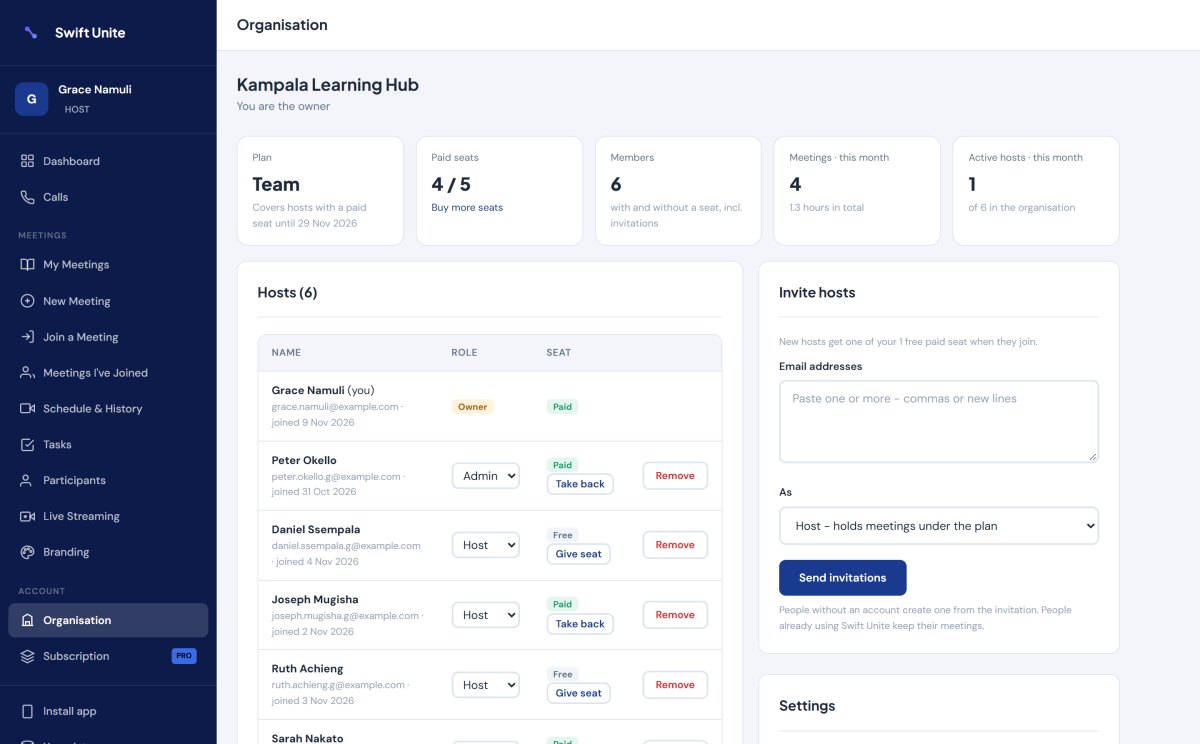
Put every lecturer, trainer or staff member under one account. Pay only for the hosts who need a paid seat — everyone in their meetings is covered.
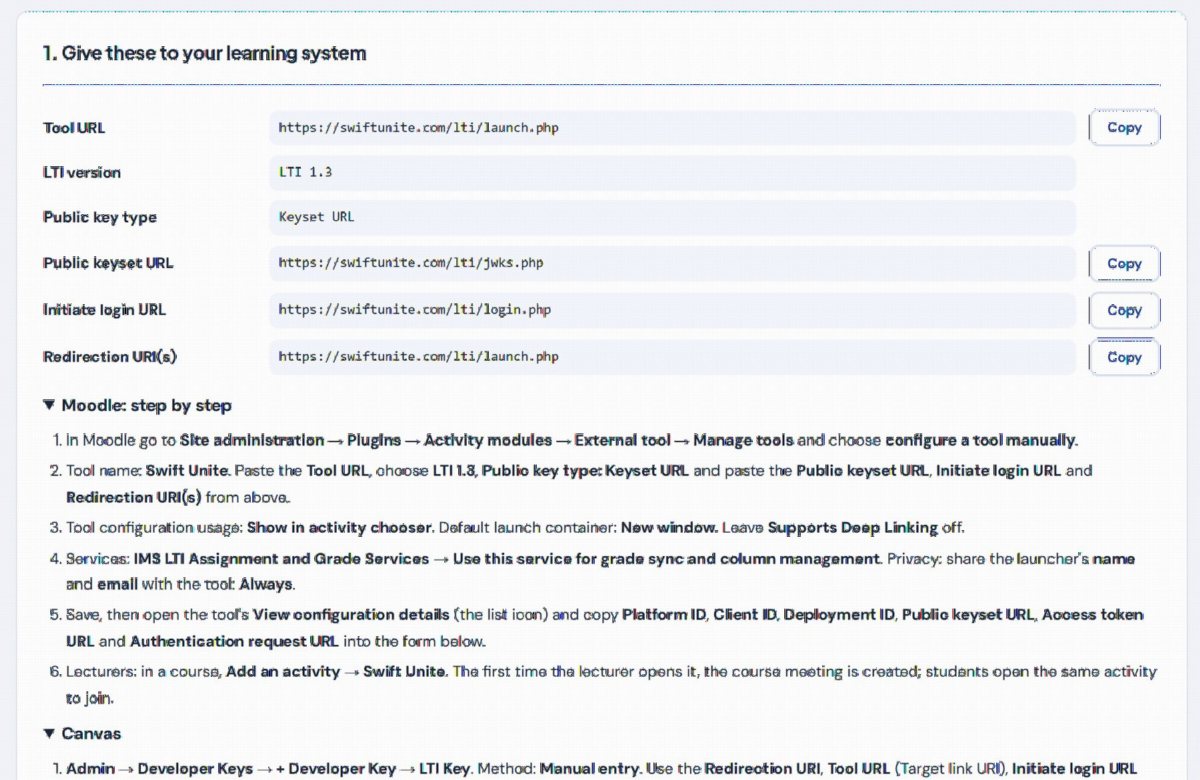
Add SwiftUnite to your learning system once (LTI 1.3). Lecturers and students then open each course's meeting from the course page — no new passwords.


Built in line with Uganda's Data Protection and Privacy Act, 2019 — the questions government offices, banks and companies ask before they buy.
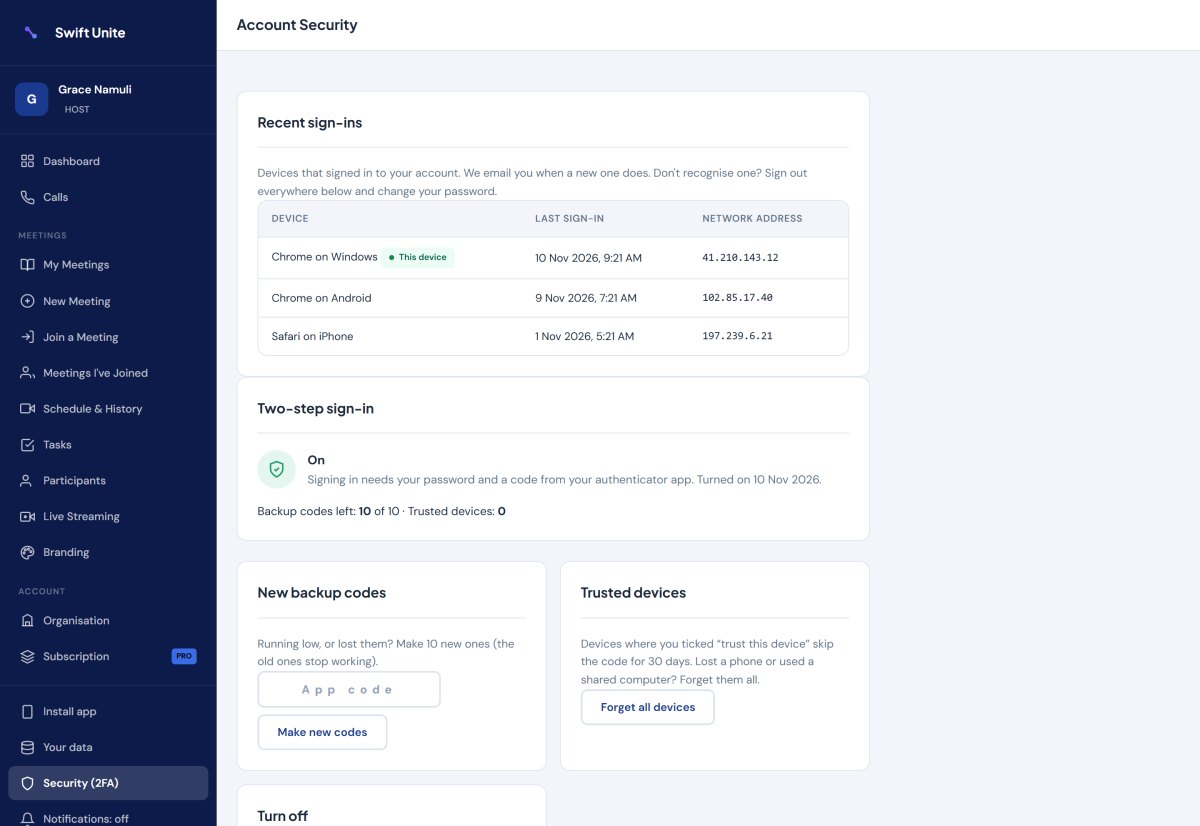
Your account, your payments and your meetings are protected from the start — the only thing to switch on is two-step sign-in.
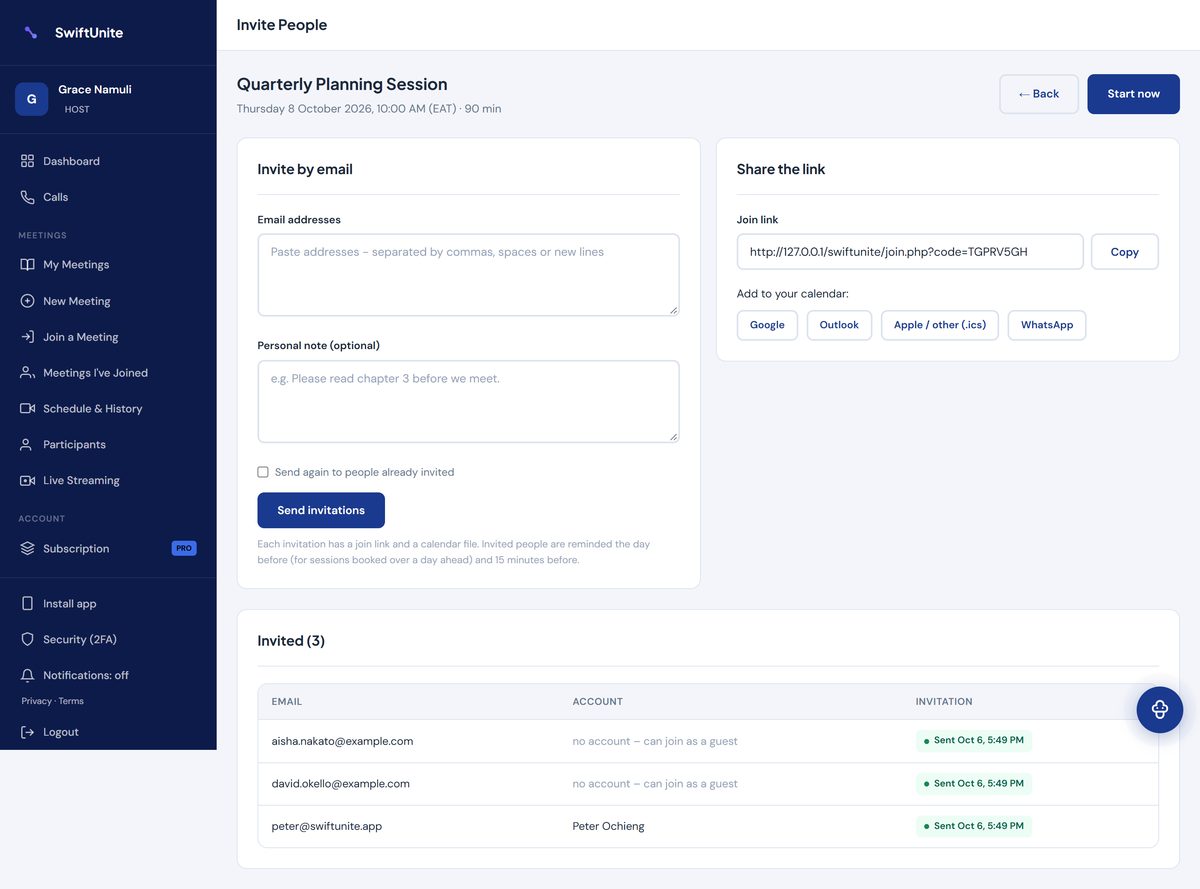

Share your meeting link on WhatsApp, SMS or email. People tap it, type their name, and they're in.
From a single tutor to a whole organisation — one simple app for all of it.

Live lessons, homework help and parents' meetings, with attendance done for you.

Staff and board meetings, client calls and training — with minutes written for you.

Fellowships, workshops and volunteer training that everyone can join from their phone.

Bring people in the room and people far away into the same meeting.

Big international meeting apps were designed for offices with fast Wi-Fi and company credit cards. SwiftUnite was designed for phones, mobile data and Mobile Money.
No downloads, no complicated setup.
Sign up as a host with your name, email and phone number.
Give it a name, then tap Share on WhatsApp — or schedule it, make it repeat every week, and send email invitations.
Video, chat, whiteboard, polls and captions. The summary is waiting when you finish.
Start free. Only the host subscribes — everyone who joins your meetings is covered.
Schools, churches, companies and NGOs can pay per host and share the seats among their staff, or get a custom plan: your own duration, priced for your team size, paid by Mobile Money.
Pay with MTN Mobile Money from inside the app — your plan starts the moment you approve on your phone.
No. They open your link, type their name and join — on Android, iPhone or a computer, in the browser they already have. People who do have an account are taken straight in.
Only hosts. Everyone who joins your meetings gets the full experience for free, with your plan's meeting length and size. Each plan shows how many people a meeting can hold, how long it can run and which tools it includes.
The timer at the top counts down from when the meeting started. At zero the meeting closes for everyone at the same moment — it is ended by our server, so logging in again doesn't add time. The host can start a new meeting straight away, or choose a plan with longer meetings. Free meetings last 40 minutes; many paid plans have no time limit at all.
With MTN Mobile Money: choose a plan, enter your number, approve the prompt on your phone with your PIN. Your plan starts immediately and a receipt is emailed to you. We remind you before it runs out.
Yes. Video quality adjusts to each person's connection, and anyone can tap Data saver for lower video or audio only — it even shows how much data the meeting has used.
The host turns on captions (CC) and what people say appears on screen, speaker by speaker. When the meeting ends, the host gets a report: a summary, formal minutes or lesson notes, in the language they choose, with action items, topics, poll results, questions and attendance. The host can correct it, download it for Word, and email each person their tasks.
Video and audio are encrypted between devices, and files are only visible to people in the meeting. Hosts can add a passcode, use a waiting room, lock the meeting and remove anyone, and every account can turn on two-step sign-in. Everyone is told when a meeting is recorded, anyone can download or delete their data from Your data, and administrators choose how long chats and files are kept — in line with Uganda's Data Protection and Privacy Act, 2019. Recordings are saved on the host's own computer, not on our servers.
Every account can turn on two-step sign-in — a code from your phone as well as your password — and administrators must. We email you whenever your account signs in on a new phone or computer; if it wasn't you, one tap signs out every device and lets you choose a new password. Wrong passwords, meeting codes and passcodes are limited, so they can't be guessed. Payment keys are stored encrypted, and administrators confirm their password before sensitive changes, with every change recorded in an activity log.
Yes. Moodle, Canvas, Blackboard and Brightspace connect through LTI 1.3: lecturers and students open course meetings from the course page, and attendance goes into the gradebook after each meeting. With Google Classroom, tap Share to Google Classroom on any meeting to post it to your class.
Yes. Create an organisation account, choose a plan priced per host and pay for the number of hosts you need. You give each paid seat to a lecturer or staff member, take it back when they leave, and add seats any time — you pay only for the days left. Staff without a seat can still use the free plan. Schools, churches, companies and NGOs can also request a custom plan — tap Request a quote above.
Yes. Breakout rooms, co-hosts, spotlight and data saver are in every meeting. Hosts can also blur or change their background. Your own branding (logo, colours, welcome message) comes with the paid plans.
Create your free account, share the link on WhatsApp, and meet — with everything you need built in.